

Hermes Agent Review & Windows 11 Setup: Self-Improving AI
Hands-on test of Nous Research's Hermes Agent v0.21.2 on Windows 11: PowerShell install, TUI commands, self-learning skill loop, and 22 chat integrations.
Hermes Agent, from Nous Research, is a personal AI assistant that runs inside regular messaging apps, remembers context across sessions, and drafts its own skills as you finish tasks together. Unlike terminal-bound repo editors like Claude Code and orchestration frameworks like OpenClaw, it works as an ambient assistant.
I spent a week running Hermes Agent v0.21.2 on Windows 11 to see how that self-improving loop behaves in practice.
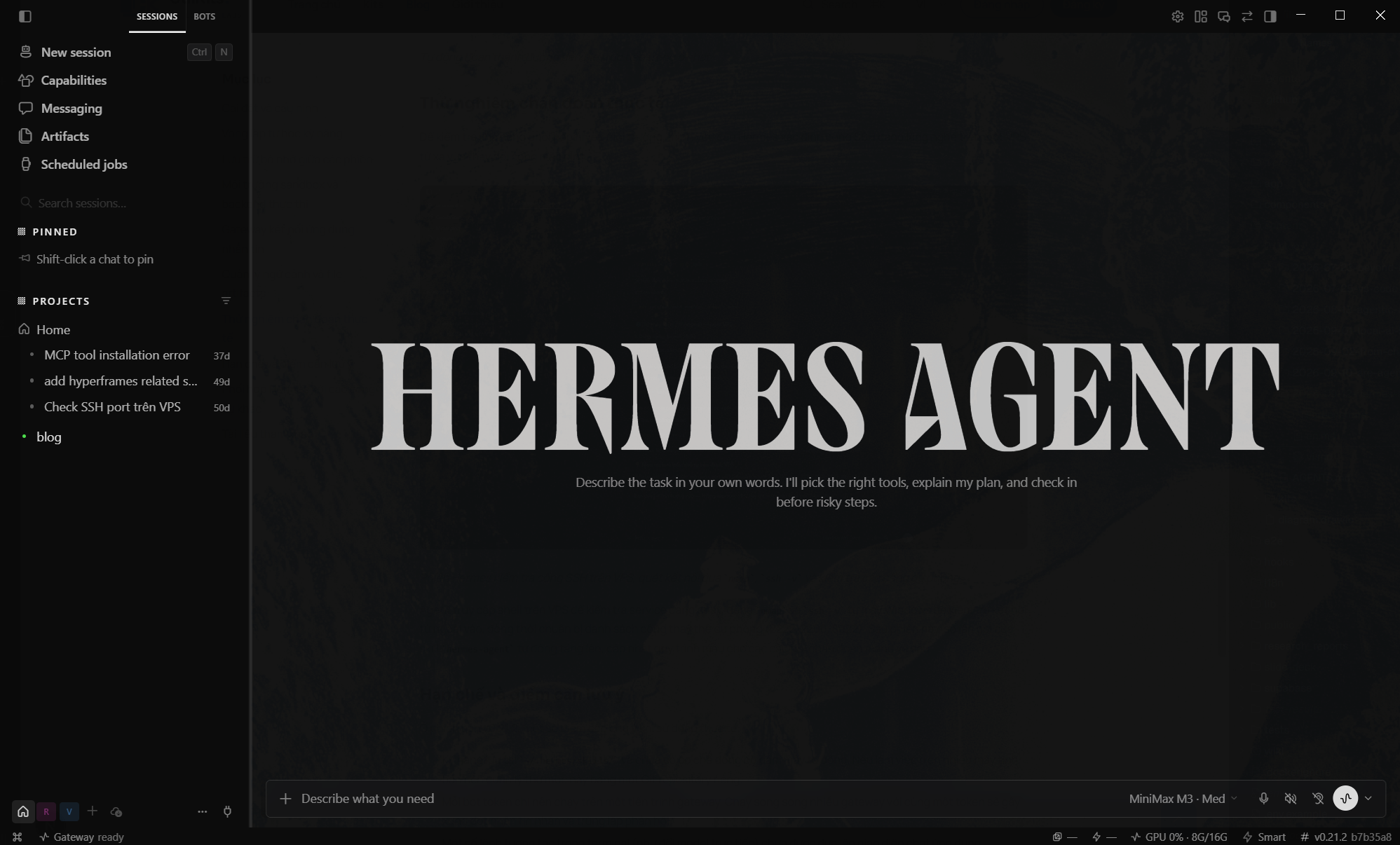
The Hermes desktop interface running on Windows 11.
Installation and setup
On Windows, the installer runs via a single PowerShell command. It pulls uv, Python 3.11, Node.js, ripgrep, ffmpeg, and an isolated MinGit bundle (~45 MB) directly into %LOCALAPPDATA%\hermes\git. You do not need administrator privileges, and your existing system Git remains untouched.
iex (irm https://hermes-agent.nousresearch.com/install.ps1)On Linux, macOS, WSL2, or Termux:
curl -fsSL https://hermes-agent.nousresearch.com/install.sh | bash
hermes
Windows Defender frequently flags uv.exe in the bundle as a heuristic positive. You can verify Astral's release signature via gh attestation verify, then add an exclusion for %LOCALAPPDATA%\hermes if Defender quarantines the executable.
Running hermes setup --portal connects the instance to Nous Portal via browser OAuth. That single subscription covers 300+ models, Firecrawl web search, FAL image generation, text-to-speech, and headless browser automation.
If you prefer to point Hermes at specific providers, Settings → Providers → API keys lets you paste keys for services you already pay for, or wire the app straight to a self-hosted endpoint. Each profile (default, researcher, video-producer) keeps its own keyset, so a research-focused setup and a coding-focused one can run on separate providers without swapping credentials mid-session.
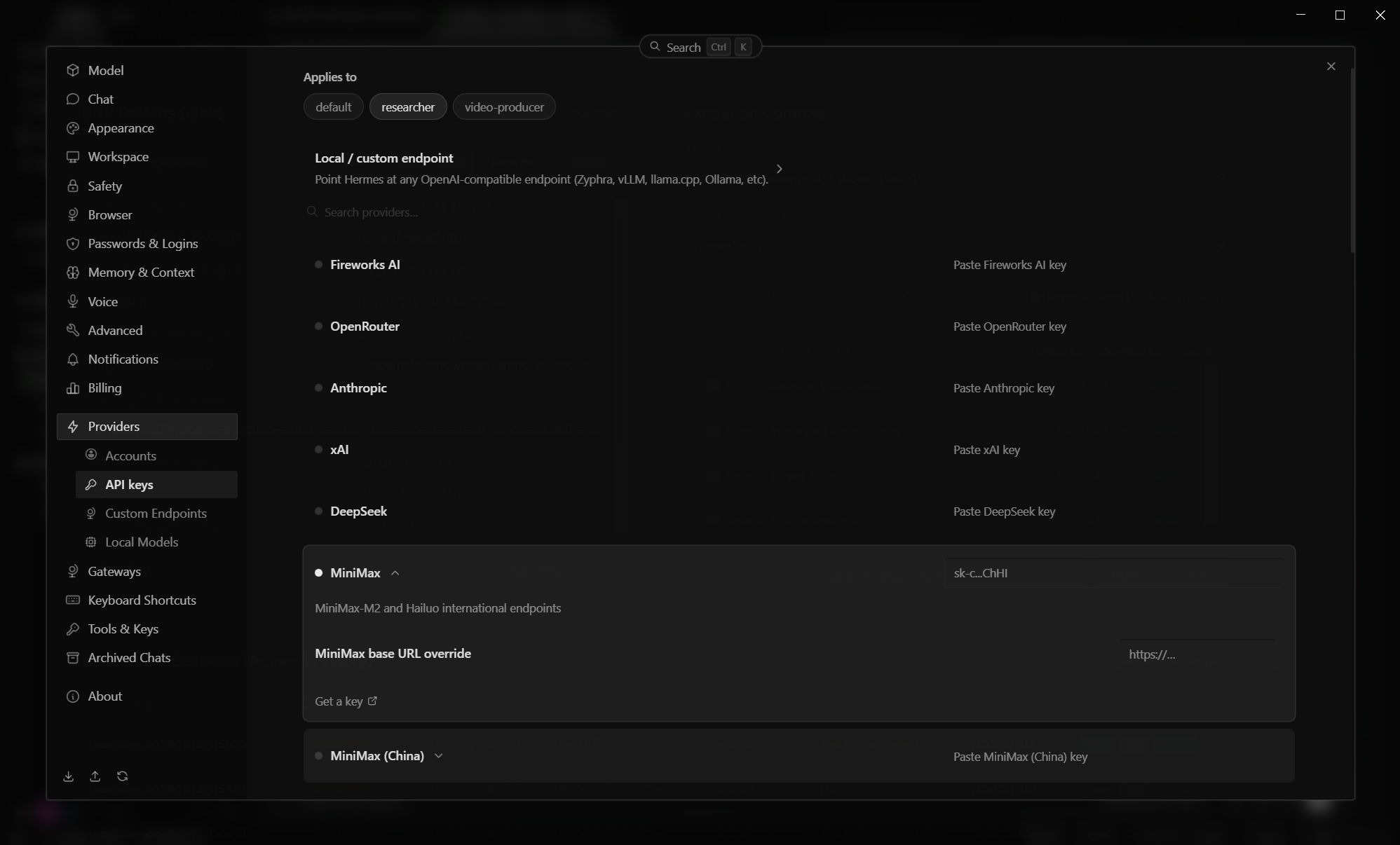
Settings → Providers → API keys panel. Each provider row accepts a pasted key; the row applies to whichever profile (default, researcher, video-producer) is selected at the top.
Supported key-based providers out of the box:
- Fireworks AI: inference API for hosted OSS models.
- OpenRouter: single key, route to 200+ models.
- Anthropic: direct access to Claude models.
- xAI: direct access to Grok.
- DeepSeek: direct access to DeepSeek-V3 and R1 families.
- MiniMax: pay-as-you-go key, either the international endpoint (
MiniMax-M2and Hailuo) or theMiniMax (China)regional endpoint. Override the base URL if you run a proxy.
For self-hosted runtimes, the "Local / custom endpoint" row at the top accepts any OpenAI-compatible server: vLLM, llama.cpp, Ollama, or a gateway such as Zyphra. Point Hermes at http://localhost:11434/v1 for a local Ollama and the rest of the chat surface runs unchanged. The Ollama vs LM Studio comparison covers how the two most common local servers differ.
I personally run Hermes on MiniMax for most day-to-day work. Hooking up the API key was a one-line paste in the Providers panel; no driver, no proxy, no separate config file, and the key survives Hermes upgrades.
The self-improving skill loop
Claude Code requires you to manually author skill prompts in ~/.claude/skills/. Hermes treats skill creation as an automatic feedback loop.
Whenever you complete a task, the agent writes the execution steps to disk using the open agentskills.io specification. When a similar request comes up later, Hermes pulls the saved skill, runs it, and refines the definition based on the outcome. Over time, this builds a localized toolbox shaped by your actual habits.
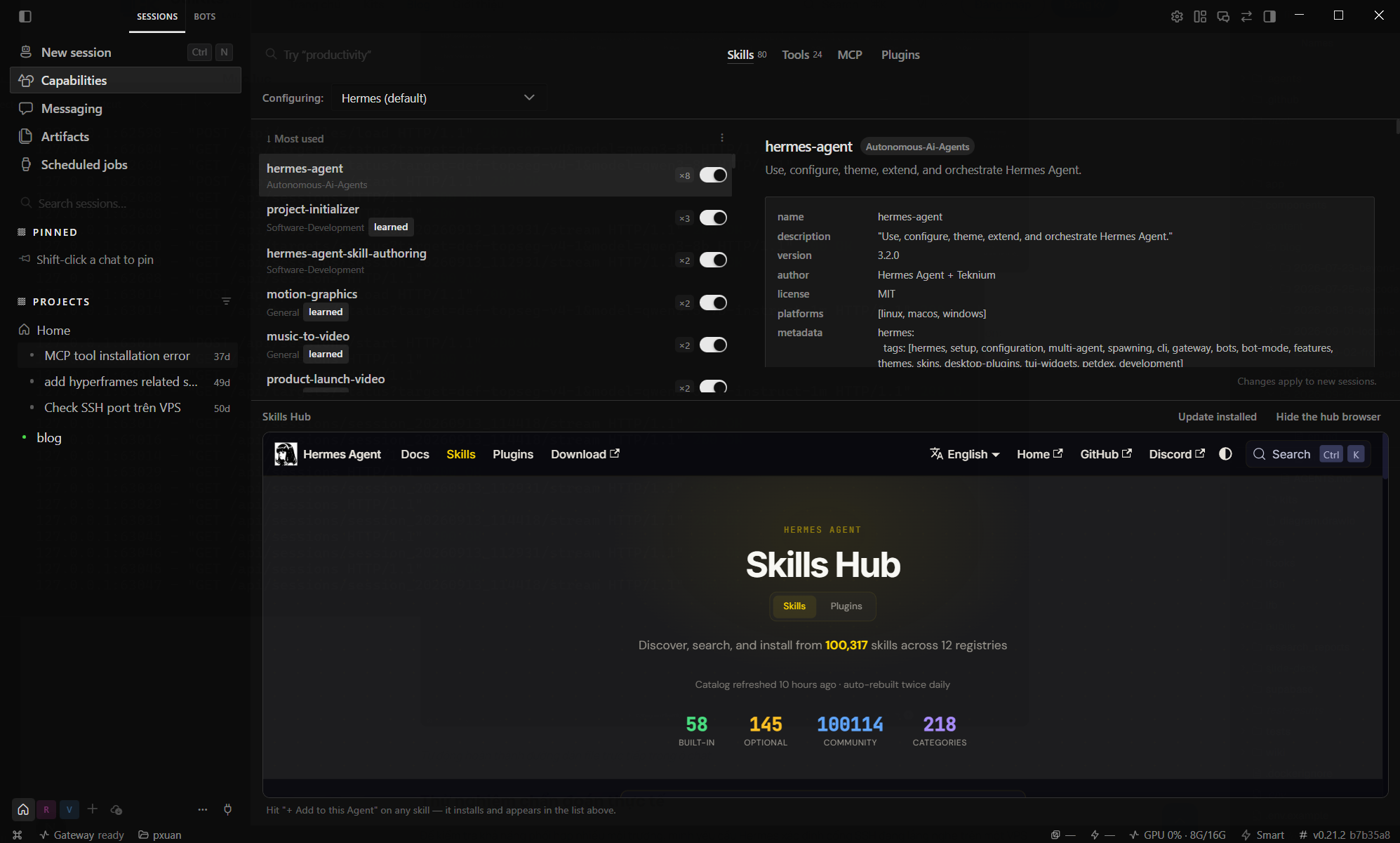
Skills panel after a week of mixed use: 73 installed skills, with the learned badge marking skills generated and refined by the agent.
My test instance accumulated 73 skills over seven days. These spanned developer utilities (project-initializer, debugging-mcp-server-launch, systematic-debugging), media workflows (motion-graphics, music-to-video), and general writing tasks.
The learned tag marks procedures the agent generated autonomously. An adjacent toggle controls whether a given skill gets injected into prompt context, keeping memory clean as the collection expands.
Community skills install by name. A single install command added packages like airtable, arxiv, codebase-inspection, claude-design, and blogwatcher to my local catalog.
Cross-session memory
State persistence relies on two distinct mechanisms.
Local session recall uses SQLite with an FTS5 full-text search index. It stores chat history and generated summaries, making keyword searches across past sessions fast enough that previous work remains easily discoverable.
Longer-term preferences route through Honcho, Plastic Labs' memory engine. Honcho tracks personal preferences, language defaults, coding habits, and project constraints across restarts. If you mention that you prefer Vietnamese or run PostgreSQL 15, the agent retains that context in future sessions without needing reminders.
Two input details speed up routine work:
- Typing
/directly in the prompt pulls file paths into context with inline completion, avoiding file picker dialogs. - The
/compresscommand condenses active conversation history to stay within token limits while preserving searchable summaries in FTS5.
Execution backends and sandboxes
Hermes decouples the chat interface from where code actually executes. The Tools panel provides six execution targets:
- Local runs commands directly on the host machine without isolation.
- Docker containers provide isolated, persistent project workspaces.
- Singularity / Apptainer supports rootless containers on HPC infrastructure.
- SSH tunnels commands to remote servers using
terminal.ssh_hostandterminal.ssh_user. - Modal provisions on-demand cloud sandboxes that hibernate when idle, so compute costs only accrue during active runs.
- Daytona applies that same hibernation model through an alternate infrastructure provider.
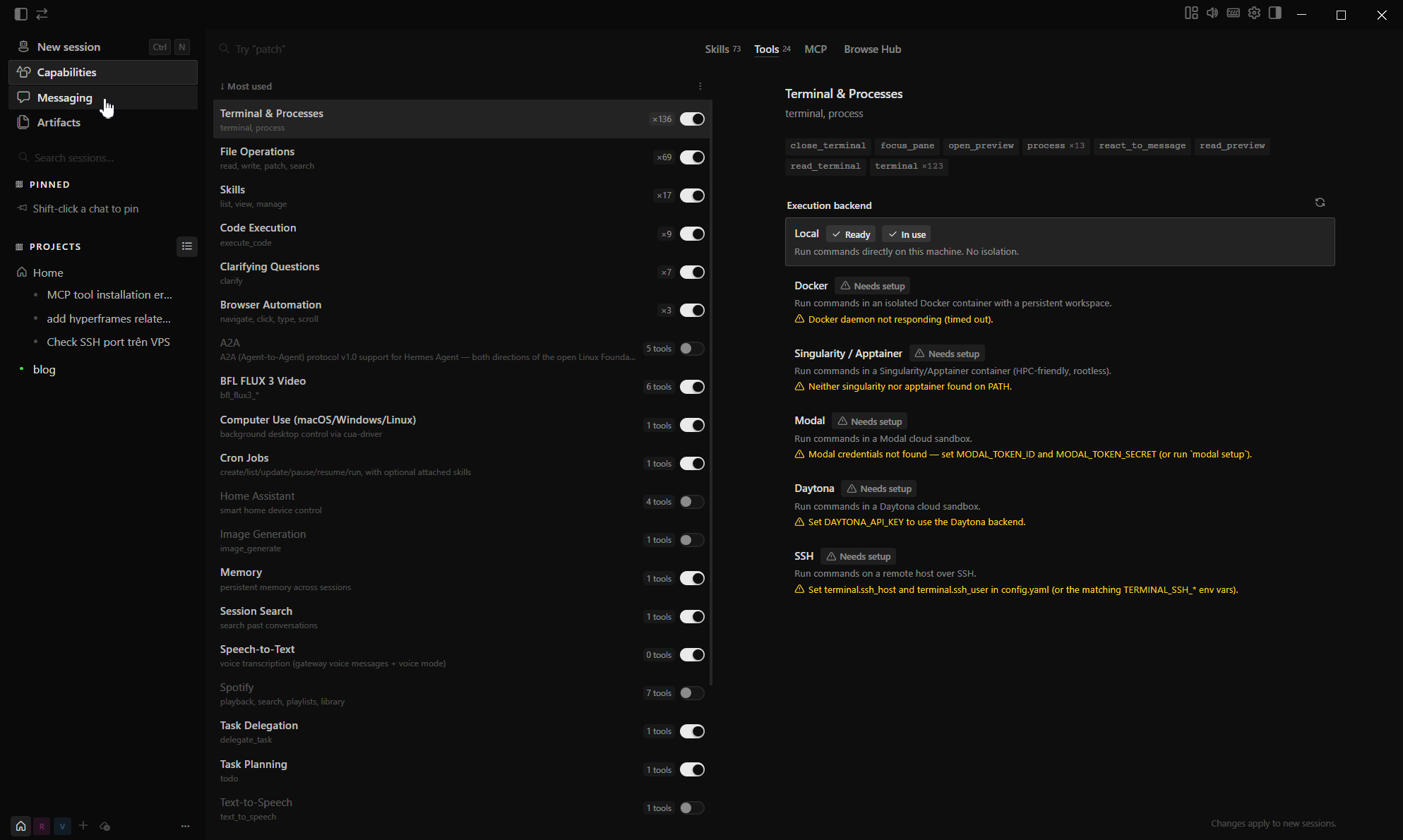
Tools panel with 24 available tools across six execution targets.
The hibernation setup is practical: you can run the gateway on a modest VPS while offloading heavy builds or compute tasks to cloud containers on demand.
Messaging gateway
You do not need to keep the desktop app open to interact with Hermes. It includes a gateway supporting 22 communication channels, including Telegram, Discord, Slack, Mattermost, Matrix, WhatsApp, Signal, BlueBubbles (iMessage), Home Assistant, Email, and SMS via Twilio.
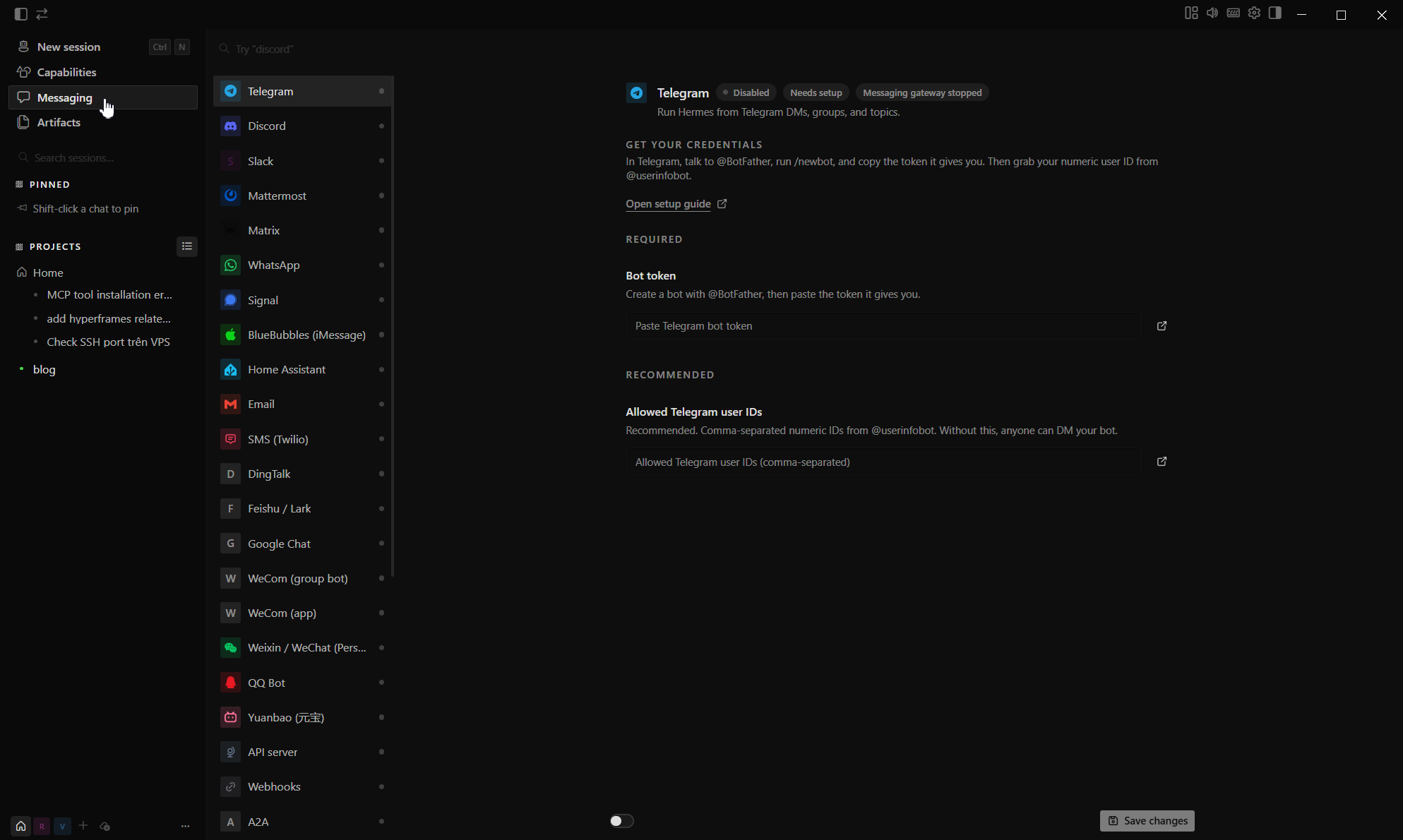
Messaging panel showing the supported chat platforms and webhook connectors.
Starting the gateway takes two steps:
hermes gateway setup    # configure tokens and user allowlists
hermes gateway start    # start the background listener
Session state synchronizes across interfaces. You can trigger a job from the terminal, monitor progress on Telegram, and let remote compute run inside Modal.
Make sure to configure the Telegram allowlist during setup. Without restricting allowed user IDs, anyone who discovers your bot username can send prompts to it.
File context and artifacts
The desktop application includes dedicated views for session outputs and inline references.
The Artifacts panel collects files, generated images, and links produced during conversations. After a week of testing, my workspace held 240 items (46 images, 54 files, 140 links), searchable from a central filter.
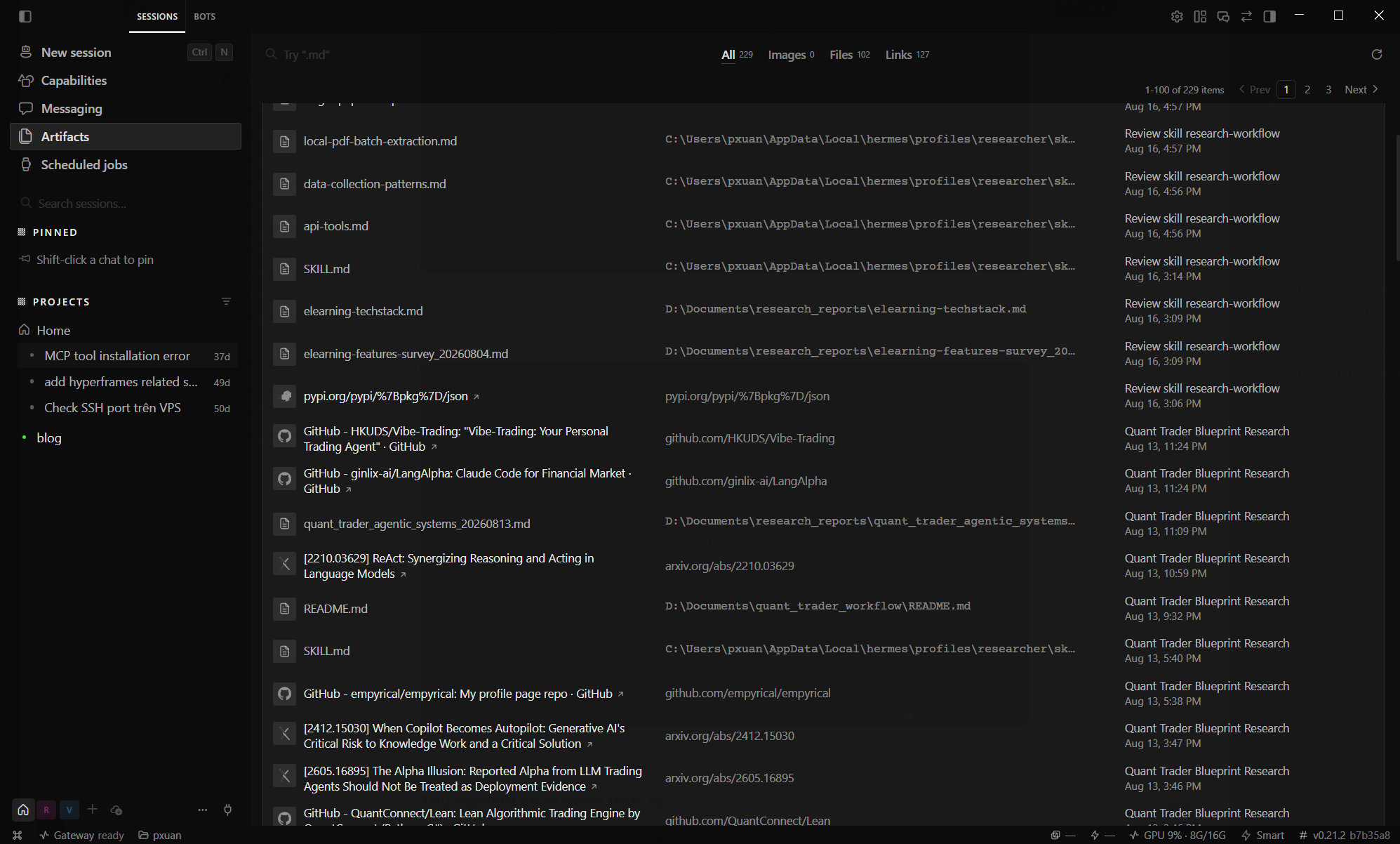
Artifacts panel indexing saved images, documents, and reference links.
Path autocompletion inside the prompt also helps when pulling in code references:
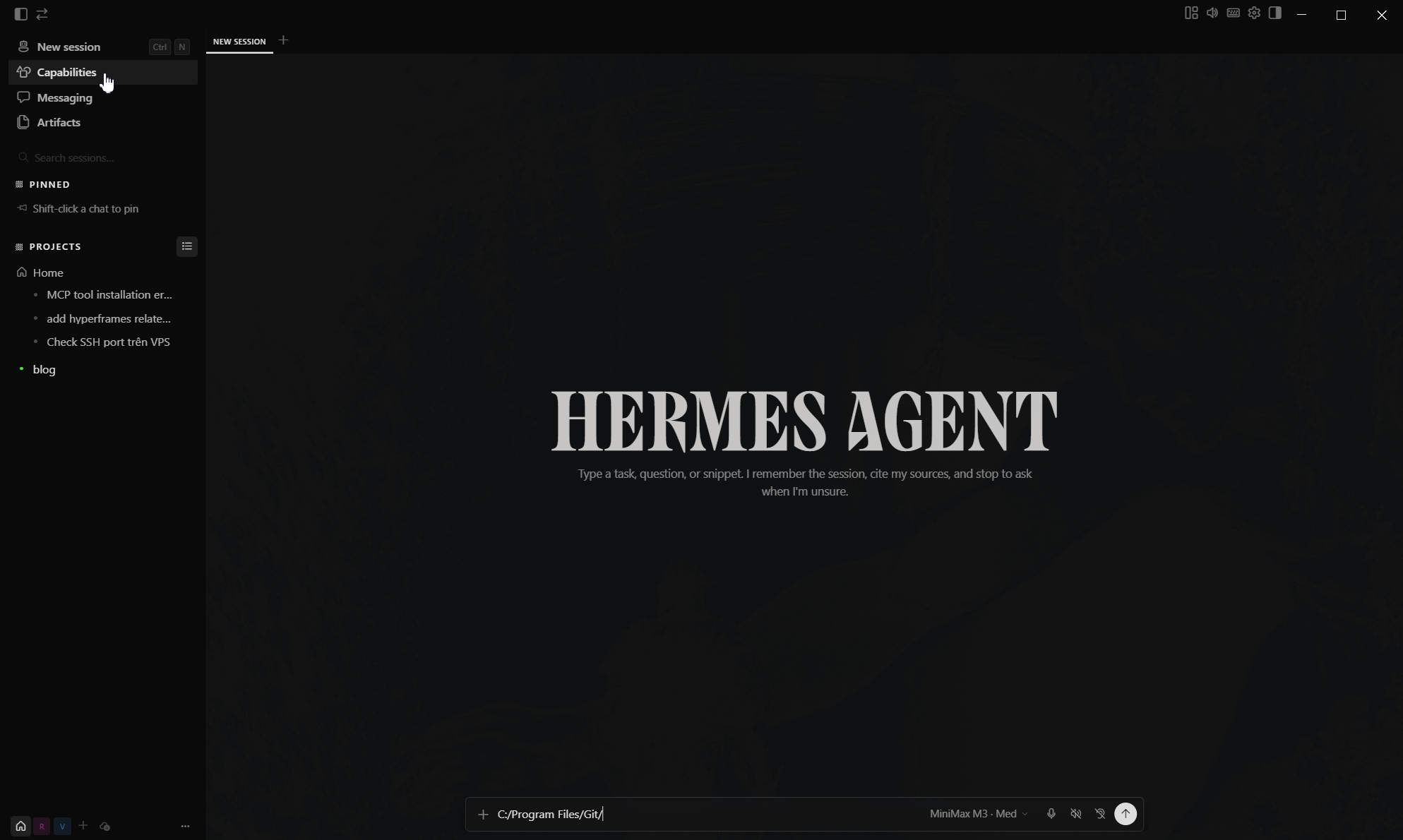
Inline path autocompletion in the chat input.
Scheduled jobs
Hermes Agent schedules recurring prompts the way cron schedules shell commands. The Scheduled Jobs panel keeps the running list, and a "SCHEDULES" library offers preset templates for the patterns most people reach for first. The list covers daily reminders (Morning briefing, Workday start reminder, Evening wind-down), monitoring jobs (Important mail monitor, Topic news digest, Market & research reminder, Price & availability watch, Competitor news watch), weekly habits (Weekly review, Weekly meal plan, Habit check-in, Hydration & movement nudge), and reflection prompts (Daily learning drip, Gratitude & reflection prompt, On-this-day discovery, Custom reminder).
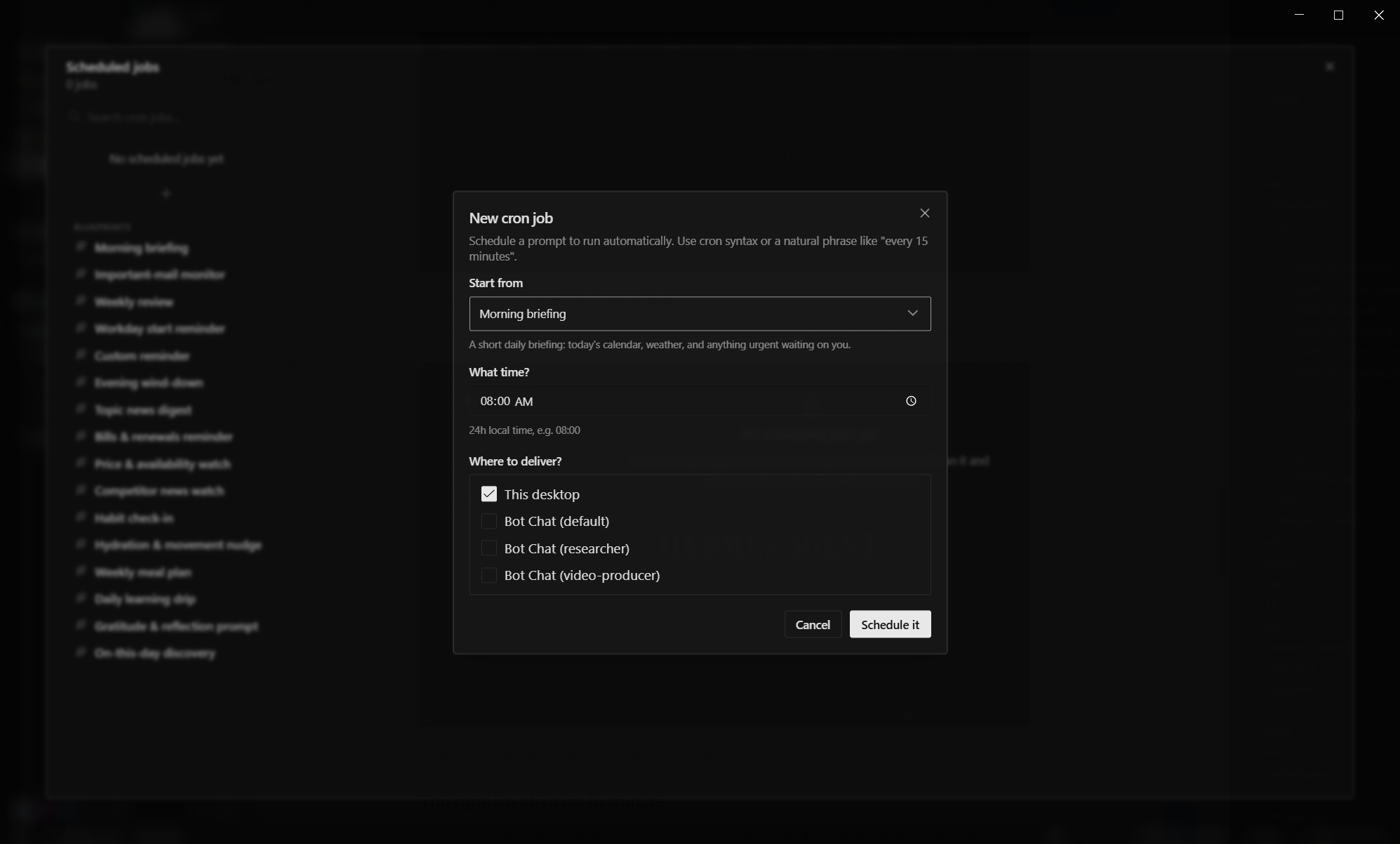
Scheduled Jobs panel with the preset library on the left and the New cron job dialog open on the right.
Clicking "New cron job" opens a compact form. The schedule expression accepts cron syntax or a natural phrase like "every 15 minutes", which Hermes parses before saving. The "Start from" dropdown pre-loads the prompt body; picking "Morning briefing" fills it with "A short daily briefing: today's calendar, weather, and anything urgent waiting on you." Delivery is a multi-select: This desktop, plus any configured Bot Chat (default, researcher, video-producer), so the run lands in the conversation thread that needs it.
Schedules persist between sessions and fire regardless of which app is in the foreground. That made it the easiest path to a daily topic digest pushed to Telegram without keeping the desktop window open all day.
Hands-on Testing
For this test, I set up a researcher profile on Hermes Agent and integrated a custom research-workflow skill (built from my own workflow). I then used it to research the topic "Develop AI agent with Langchain & Langgraph".
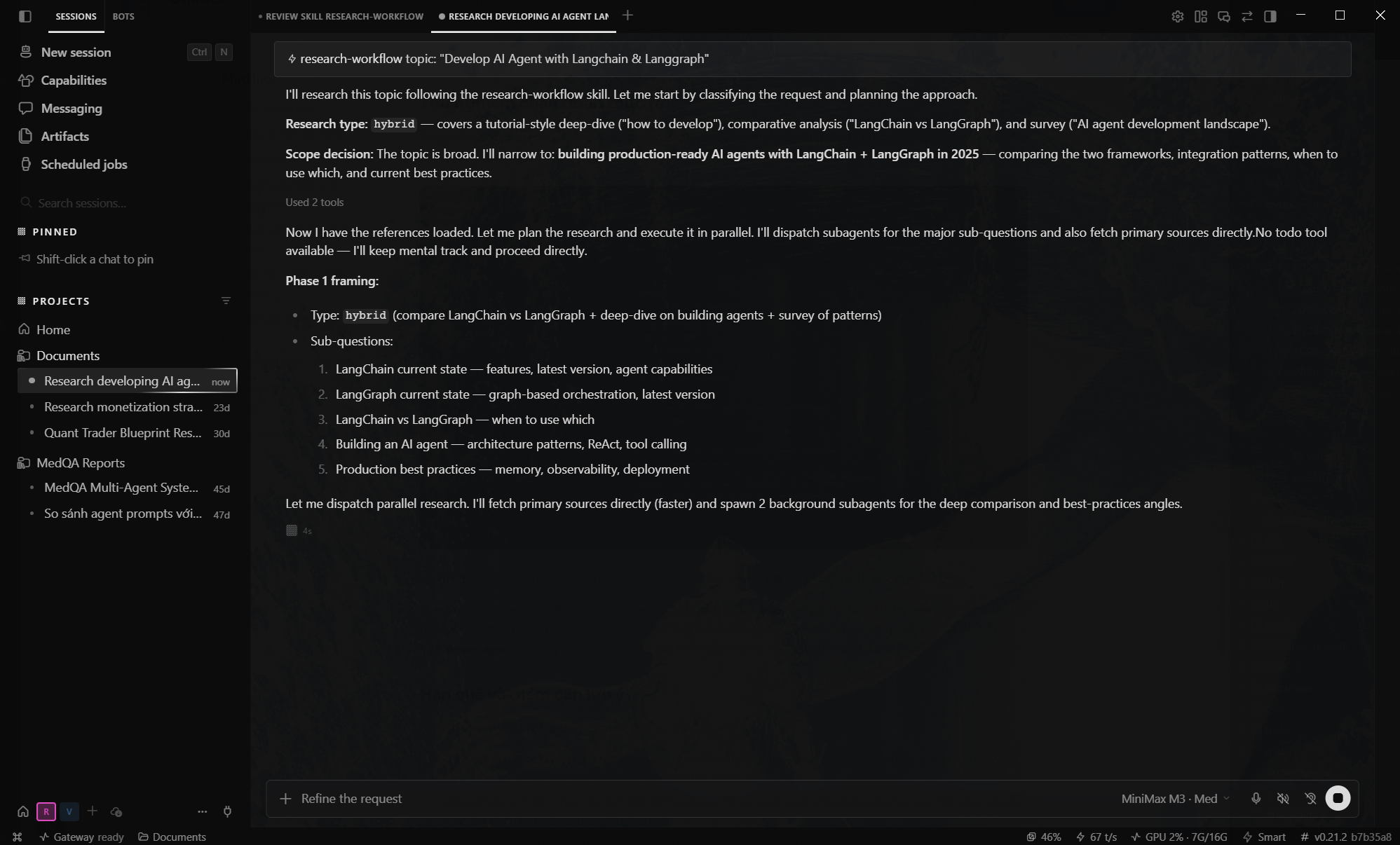
Hermes research session on Develop AI agent with Langchain & Langgraph.
My custom skill instructs the agent to dispatch tasks to subagents for parallel document research. As shown below, the agent coordinated 2 background subagents to research the topic simultaneously.
Caveats and rough edges
At v0.21.2, several operational quirks require attention:
- Skill definitions reside in
~/.hermes/skills/without automated cloud synchronization. If you work across multiple machines, track that directory in a private Git repo. - Run only one gateway instance per bot token. Multiple instances polling the same token produce race conditions and duplicate replies.
- Some interactive CLI commands (like live model switching) do not map to messaging apps yet.
- Honcho profiling is enabled by default. If your project has strict privacy policies, turn it off in configuration before authenticating.
- The Windows Defender heuristic alert on
uv.exerequires a manual exclusion on initial setup.
How it fits alongside other tools
These tools serve different parts of a daily workflow:
- OpenClaw handles low-level process coordination and multi-agent systems.
- Claude Code and OpenCode remain the strongest choices for direct terminal-based refactoring inside a codebase.
- Hermes Agent functions as an ambient assistant across your messaging apps, handling research, automation scripts, and cross-session knowledge retention.
In daily use, Claude Code stays in the terminal for heavy code changes, while Hermes runs on Telegram and desktop for quick investigations, background tasks, and ongoing skill collection.
References
- NousResearch/hermes-agent on GitHub: release notes and source code (v0.21.2, 2026-09-11).
- Hermes Agent Documentation: architecture, skills engine, and gateway setup.
- agentskills.io Specification: open standard for portable agent capabilities.
- Nous Portal: model gateway and multi-modal tool subscription.
Screenshots captured live from Hermes Agent v0.21.2 running on Windows 11.

