9Router Guide: One Local Endpoint for All Your AI APIs
Install 9Router, connect your own keys and local models, build a fallback combo, and point coding tools at localhost:20128. Plus what not to proxy.
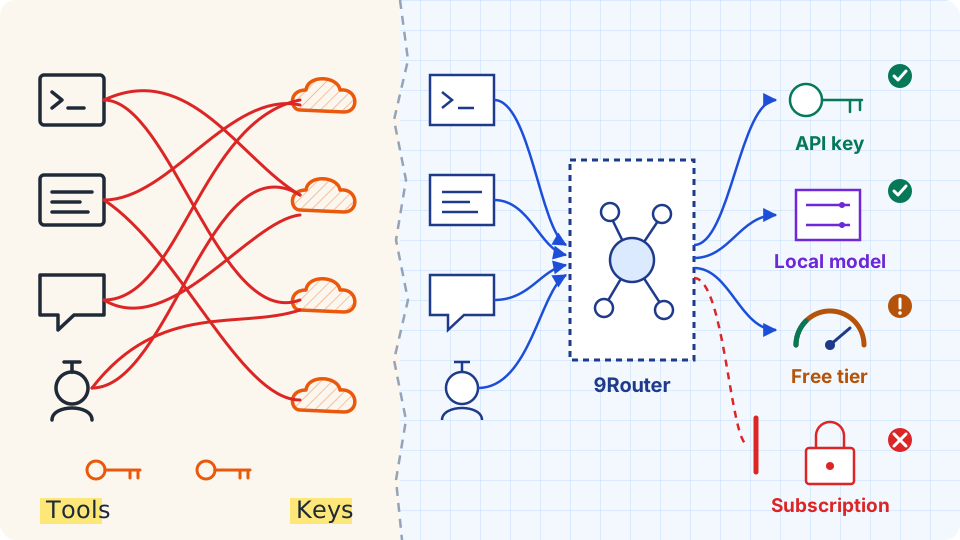
Every coding tool wants its own base URL, its own key and its own model name. When one quota runs dry halfway through a refactor, you edit three config files to switch providers, and the next tool still points at the empty account. 9Router puts a local proxy in the middle. Your tools talk to one OpenAI-compatible endpoint at http://localhost:20128/v1, and the proxy decides which provider answers.
This guide covers install, first-run hardening, provider setup, a fallback combo and tool wiring, using screenshots from a 9Router v0.5.112 dashboard. It also separates the credentials that belong behind a router from the ones that do not.
What 9Router Does, and What It Cannot Do
9Router is an MIT-licensed local app that needs Node.js 20 or newer. It exposes an OpenAI-compatible API, forwards requests to the providers you connect, keeps ordered fallback lists called combos, and logs usage. A router moves requests between quotas you already have. It cannot create capacity. The only way to get "more" from a router is to put more accounts behind it, and not every account is allowed to sit there.
Install and First Run
Install from npm and start it:
npm install -g 9router
9router
Or run the published Docker image, with data kept in a mounted folder:
docker run -d --name 9router -p 20128:20128 \
  -v "$HOME/.9router:/app/data" -e DATA_DIR=/app/data \
  decolua/9router:latest
The dashboard opens at http://localhost:20128/dashboard. The README says the first-login password comes from INITIAL_PASSWORD and falls back to 123456 when the variable is unset. Set your own before the first start:
INITIAL_PASSWORD='a-long-random-string' 9router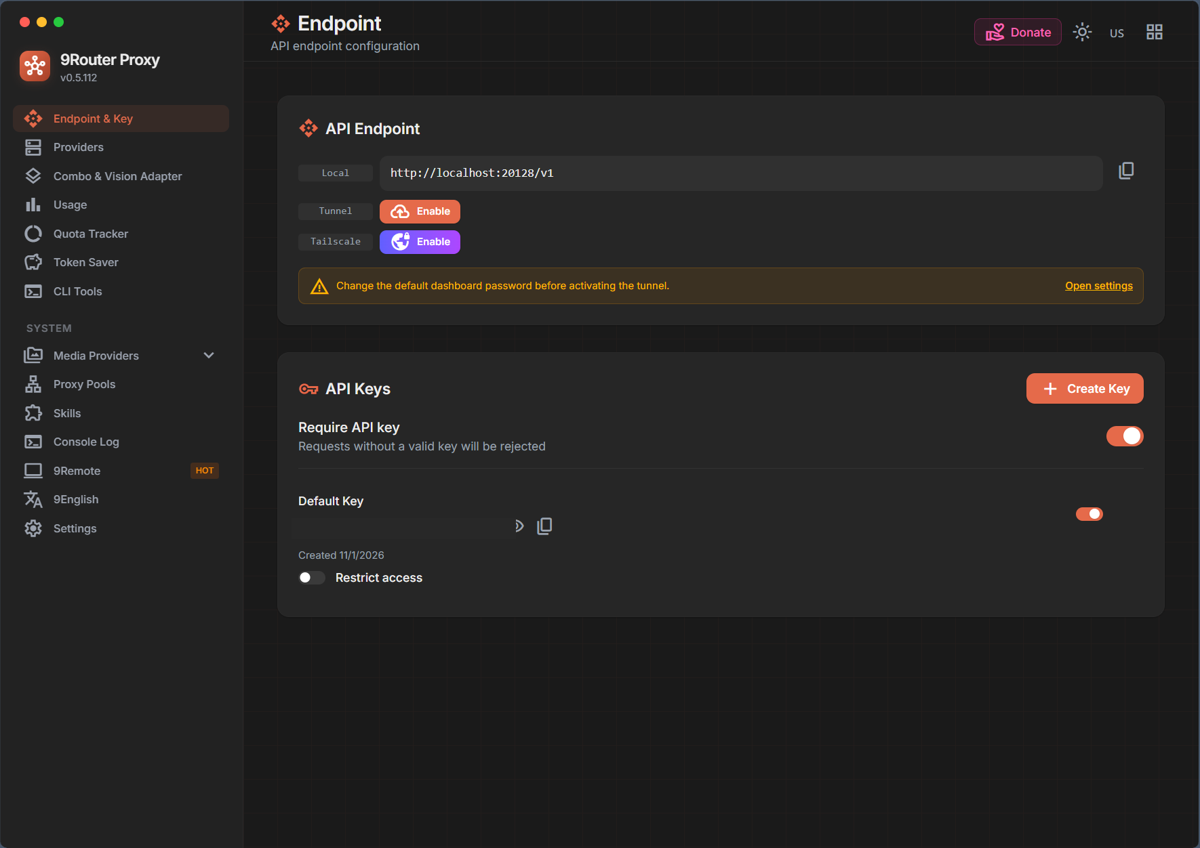
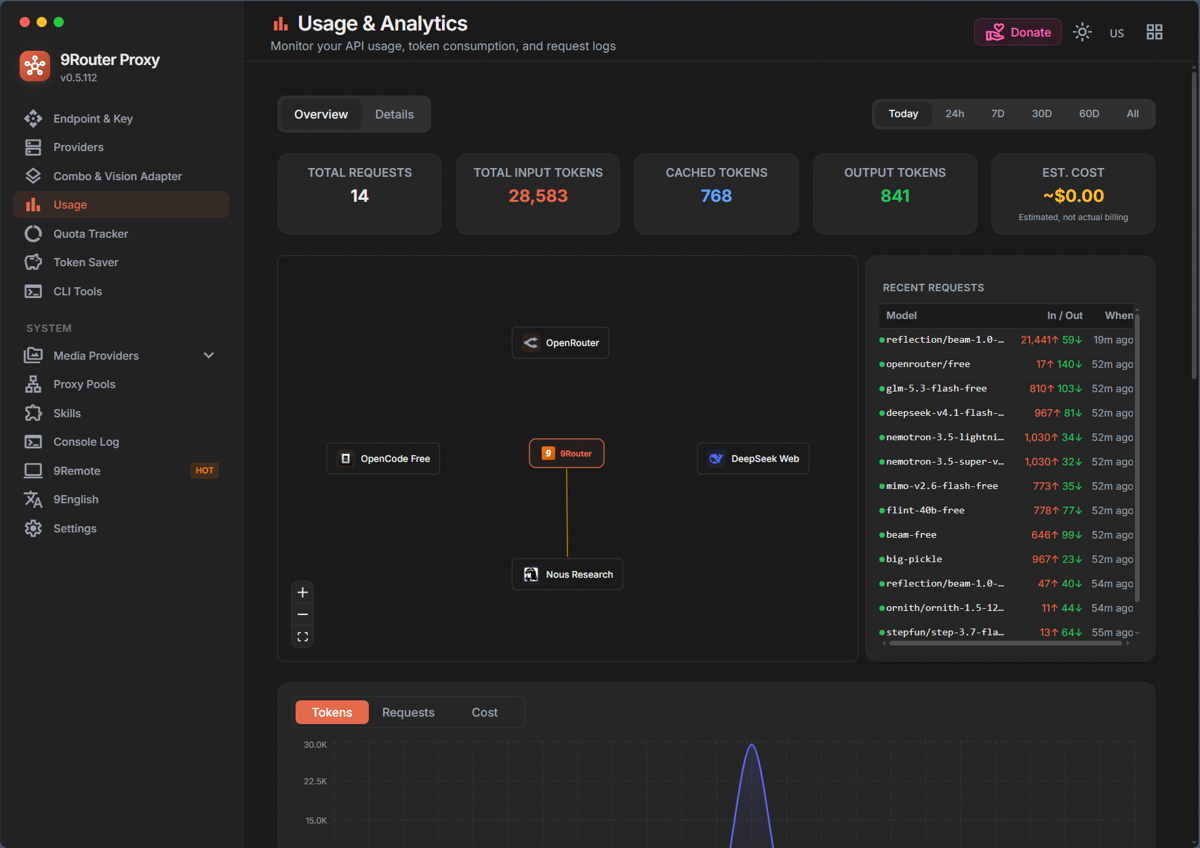
The sidebar on the left of the screenshot lists the dashboard pages. This guide walks through Endpoint & Key, Providers, Combo, Usage, Token Saver and CLI Tools in that order. It skips the Quota Tracker page.
The Endpoint & Key page gives you the two values every client needs: the base URL and an API key. Leave "Require API key" on so only requests carrying that key are accepted.
Lock the Dashboard Before Anything Else
Open Settings and look at the Security card. "Require login" should be on, and the password fields let you replace the default. The same page shows the database location, ~/.9router/db/data.sqlite. Treat that folder like a password store, since the router keeps its connections and keys in local storage.
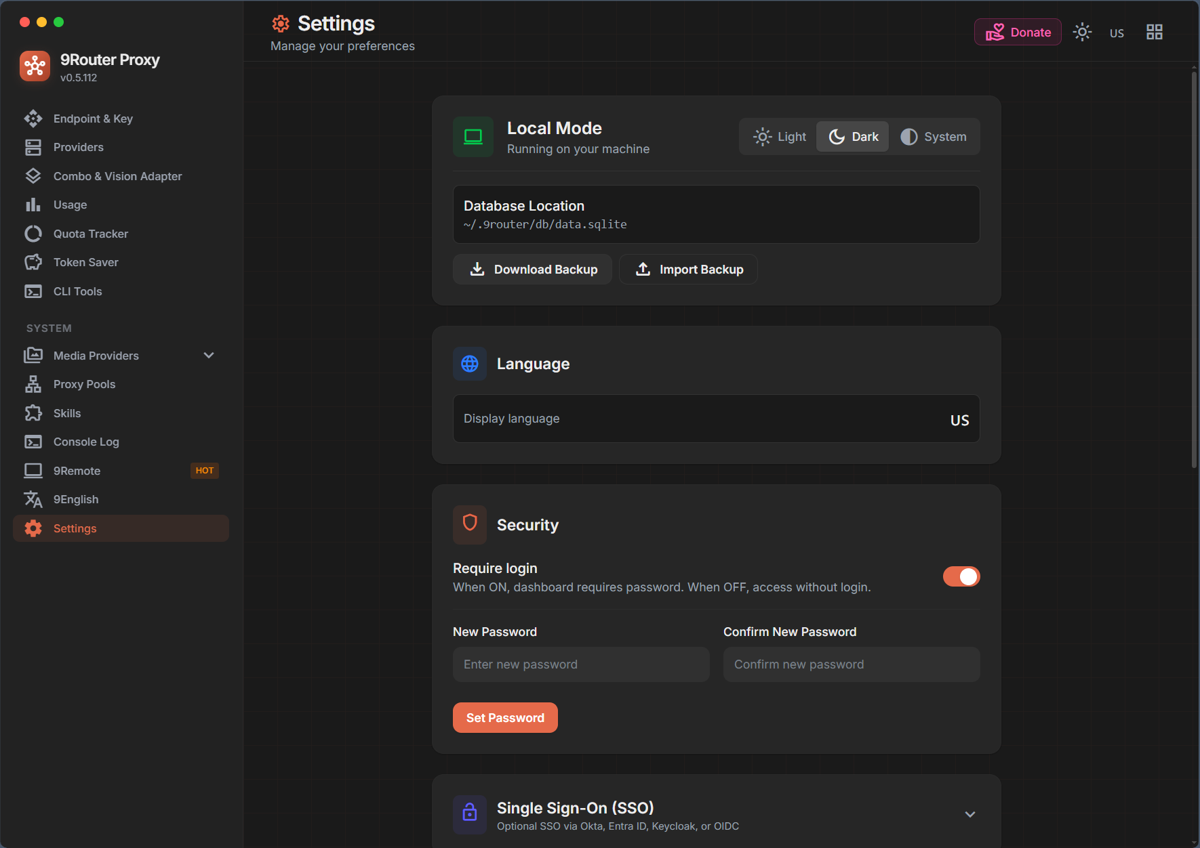
The Endpoint page also warns you to change the default password before activating the Tunnel or Tailscale option. Both put the dashboard on a network you do not control. Keep them off unless you need remote access.
Connect Providers: Choose What Goes Behind the Router
The Providers page lists custom OpenAI or Anthropic compatible endpoints, then OAuth providers, then free-tier providers. The README adds 40-plus API-key providers on top of those.
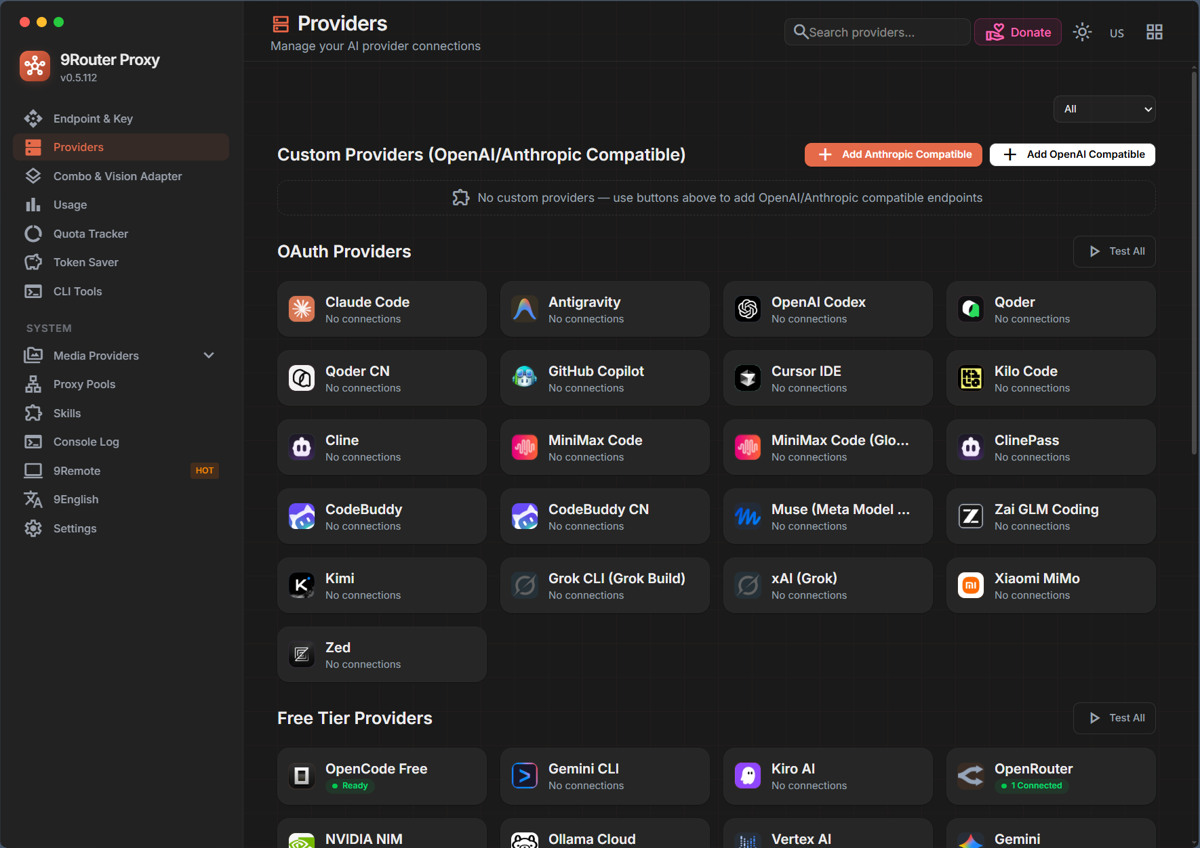
OAuth providers are the ones where you sign in with a subscription account instead of pasting an API key. The list includes Claude Code, Antigravity (Google's agentic coding tool), GitHub Copilot and Cursor. A login's place in that list says nothing about whether its provider allows this. The README I read does not address whether routing a subscription through a proxy complies with each provider's terms, so the check is yours:
| Credential | What the provider's own text says | Recommendation |
|---|---|---|
| API key, pay per token | Anthropic tells developers to use API key authentication through Claude Console or a supported cloud provider | Connect |
| Local server (LM Studio, Ollama) | Your hardware, your rules | Connect |
| Free tier | Limits change, and the README lists Gemini CLI, Qwen Code and iFlow free tiers as discontinued | Fallback for low-stakes calls only |
| Claude subscription login | Anthropic says OAuth is intended for ordinary use of Claude Code and other native Anthropic applications, does not permit routing requests through Free, Pro, Max or Ultra plan credentials on behalf of users, and may enforce without notice | Skip, use an API key |
| Antigravity login | Section 6 of the Antigravity Additional Terms calls using third-party software to access the service, with OpenClaw named as the example, a breach, and says it may lead to suspension or termination of Antigravity and Gemini CLI accounts | Skip |
A local proxy is not Claude Code and not Antigravity, so I treat both subscription logins as off limits. The convenience of one endpoint is not worth losing the account behind your daily tool.
Free tiers need the same restraint. 9Router supports round-robin (taking turns) across several accounts of one provider. Rotating your own two API keys is fine. Stacking free accounts so no single limit ever triggers is the quota-evasion pattern that provider terms exist to stop. Check whether a free endpoint retains or trains on prompts before you send private code through it.
Example: Connect OpenRouter and Test Its Free Model
OpenRouter is a safe first connection because it uses a plain API key. The steps:
- On the Providers page, open OpenRouter.
- Press Add, name the connection, and paste a key created at
openrouter.ai/settings/keys. - Under Available Models, find
openrouter/openrouter/freeand press Test.
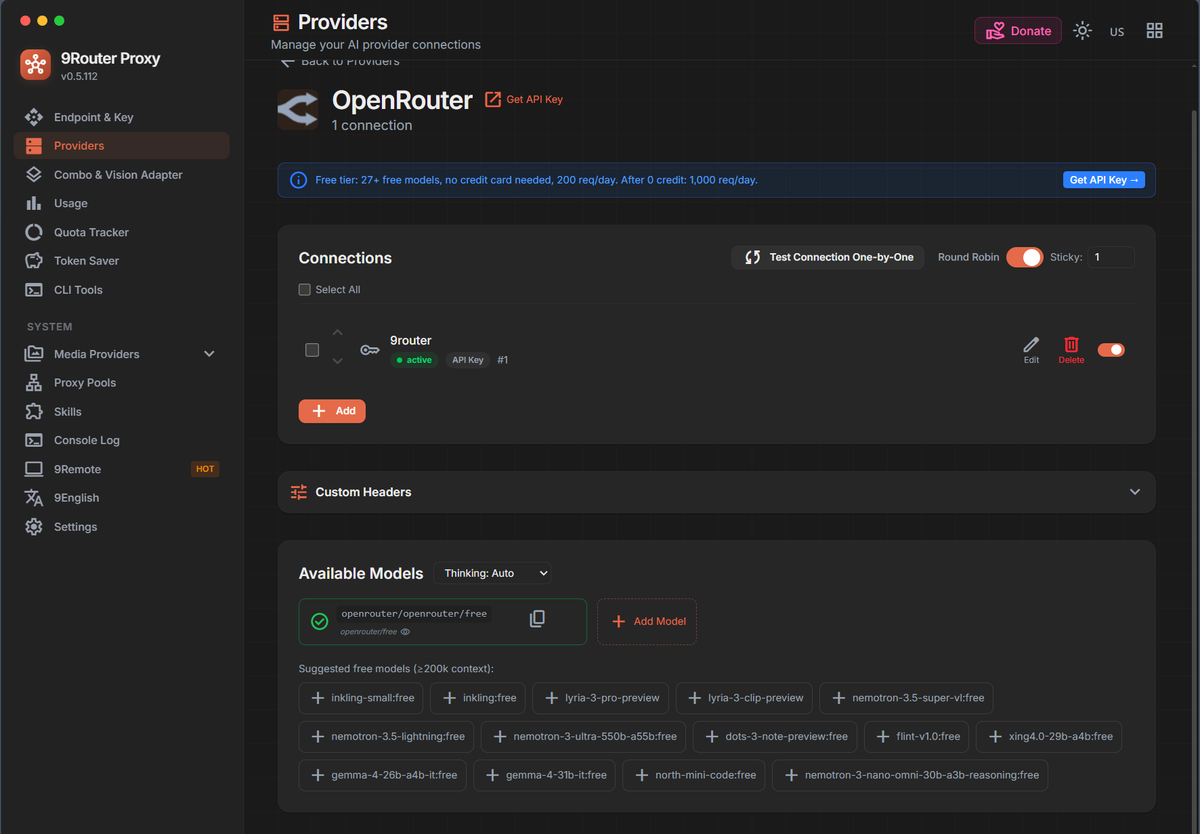
The connection shows as active and the model gets a green check once a real request comes back. I pressed Test once for this screenshot. The banner on the page reads "27+ free models, no credit card needed, 200 req/day", which is the dashboard's figure and not mine to guarantee, so check OpenRouter's own limits. One key of your own is enough here. Opening extra accounts to widen that daily cap is the stacking pattern described above.
Build a Combo
A combo is one name that maps to an ordered list of models. The Combos page describes four strategies: Fallback tries models in order on failure, Round Robin rotates across models, Smart Router asks a System One decision model to pick before generation, and Fusion queries every model in parallel and has a judge merge the answers. Fusion bills every panel model plus the judge, so keep it for rare, high-value prompts. For background on the decision-model idea, see Jev and System One models.
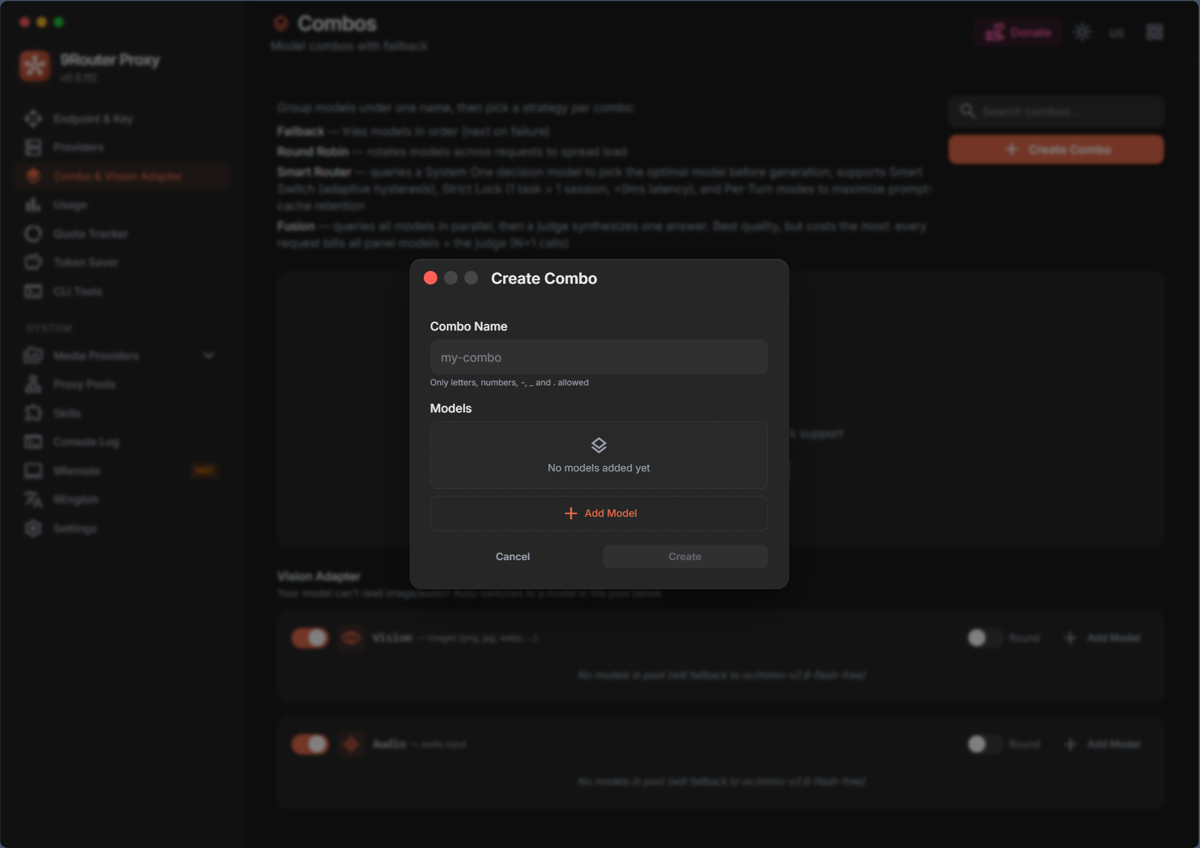
A sensible first combo, named daily-coder, uses Fallback with credentials you own:
| Order | Model | Why |
|---|---|---|
| 1 | Your main model through a paid API key | Best quality for real work |
| 2 | A cheaper model through another API key | Keeps working when the first one rate-limits |
| 3 | A model served by LM Studio on your own machine | Free, private, no quota |
The local tier is the honest answer to "what if everything is down". It costs electricity.
Point Your Tools at the Endpoint
Any OpenAI-compatible client needs two settings: base URL http://localhost:20128/v1 and the key from the Endpoint page. A quick test from a terminal, with that key exported as the NINEROUTER_KEY environment variable:
curl http://localhost:20128/v1/chat/completions \
  -H "Authorization: Bearer $NINEROUTER_KEY" \
  -H "Content-Type: application/json" \
  -d '{"model": "daily-coder", "messages": [{"role": "user", "content": "Say hello"}]}'
The same call from Python:
from openai import OpenAI

client = OpenAI(base_url="http://localhost:20128/v1", api_key="<your 9Router key>")
reply = client.chat.completions.create(
    model="daily-coder",
    messages=[{"role": "user", "content": "Say hello"}],
)
print(reply.choices[0].message.content)
GET /v1/models lists the models and combos the router exposes. The CLI Tools page has ready-made setup screens for coding agents.
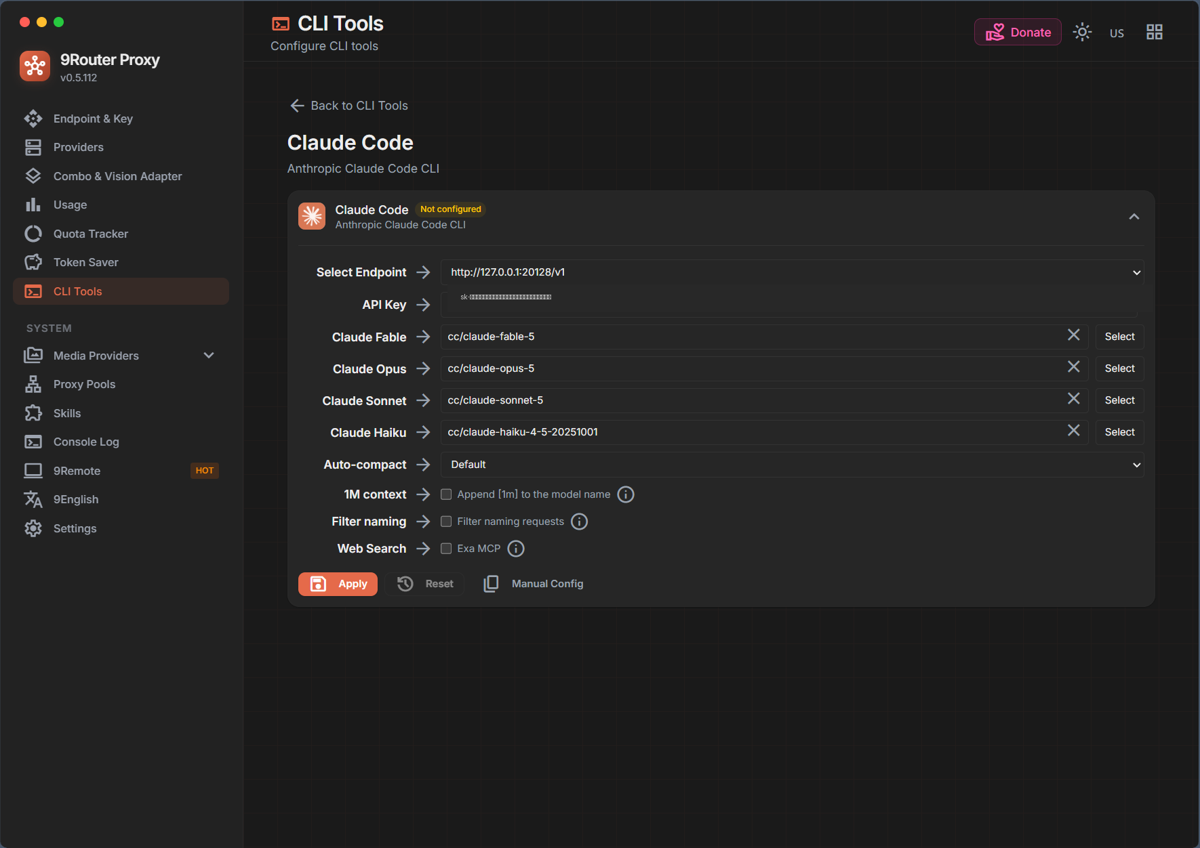
Look at the model mapping before pressing Apply. The pre-filled names start with cc/, which is the route that goes through a Claude subscription login. Replace them with your combo name or with models from an API-key provider, or use Manual Config to edit the tool's settings yourself.
The request shapes above follow the README. During this walkthrough I opened the Create Combo dialog and cancelled it, and I did not send traffic through a combo.
Watch Usage and Trim Tokens
The Usage page shows total requests, input, cached and output tokens, and a recent-requests table with the model that answered each call. The cost tile is labeled "Estimated, not actual billing", so compare it against your provider invoices instead of trusting it.
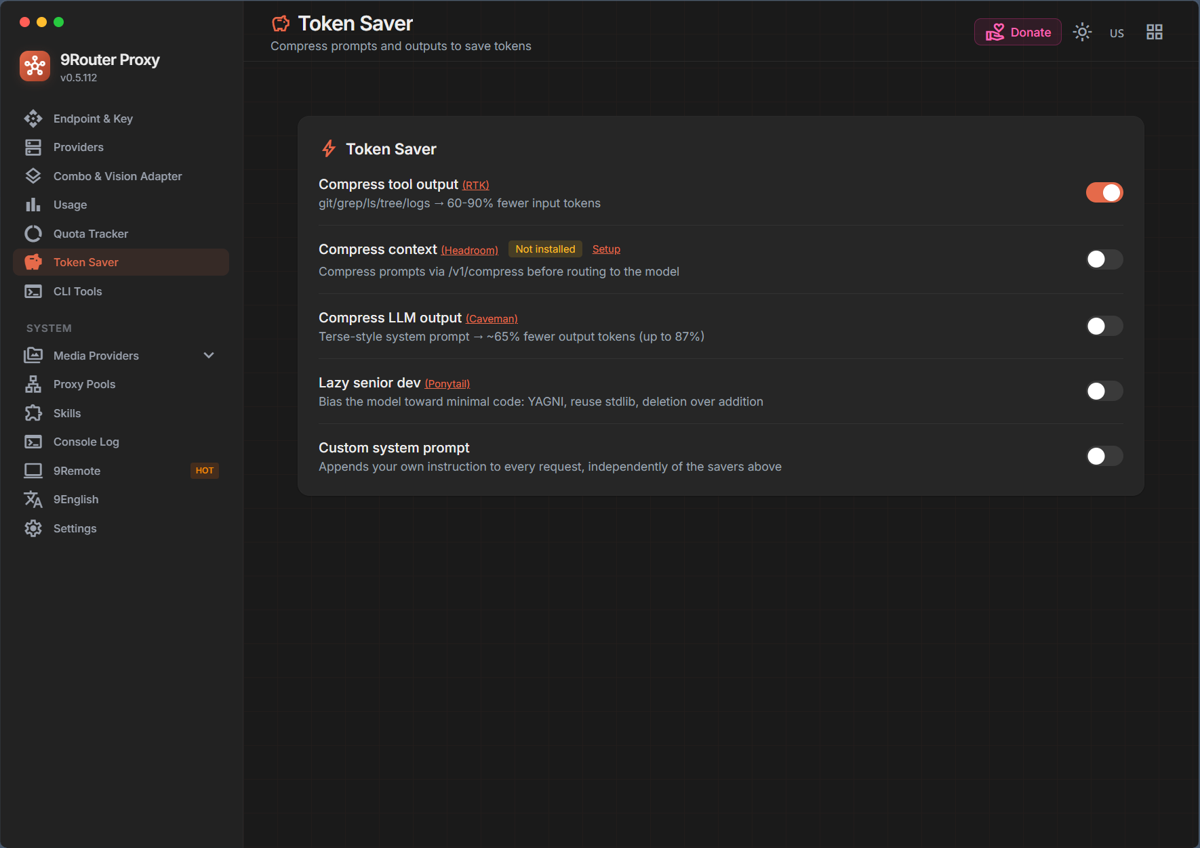
The Token Saver page lists four options: RTK compresses tool output, Headroom compresses context through an external proxy that was not installed here, Caveman asks for terse answers, and Ponytail biases toward minimal code. The dashboard claims 60-90% fewer input tokens for RTK, while the README says 20-40%. Read both as vendor claims and measure on your own workload by comparing the Usage totals before and after. The mechanics behind these savings are covered in context compression for coding agents.
Failure Modes to Plan For
- One local process serves every tool. If it stops, every client fails at once. Keep your direct provider configs somewhere you can restore quickly.
- Fallback hides quality drops. A combo that lands on a weaker model changes your results without an error. Check the model column in recent requests.
- Credentials concentrate in one place. The router holds every connected key, so a weak dashboard password exposes all of them.
- Provider rules move. Terms, free tiers and model lists change, so re-read them when a connection suddenly fails.
One Endpoint, Your Own Accounts
9Router earns its place when it consolidates what you already pay for or run yourself: API keys, a local model, and a small free-tier buffer. Once it stretches subscriptions past what the provider allows, you risk the suspension of the account your daily tools depend on.
Sources
- decolua/9Router on GitHub: install commands, default port, providers, combos and token saver notes.
- Claude Code: Legal and compliance: Anthropic's authentication and credential use policy.
- Google Antigravity Additional Terms: Section 6 on third-party software access.