Orca Agent IDE Review (2026): Is It Worth Running Coding Agents in Parallel?
Orca is a free, MIT-licensed desktop app that runs Claude Code, Codex and OpenCode side by side in separate git worktrees. Features, costs, risks and how it compares with Conductor and Claude Squad.
Short answer: Orca is a free, MIT-licensed desktop app that runs Claude Code, Codex, OpenCode and other terminal agents side by side, each in its own git worktree [1][4]. Install it if you already use CLI agents daily and your bottleneck is supervision, not typing. If you run one agent at a time, skip it.
I did not benchmark Orca. This review rests on the official docs, homepage, GitHub repository and release notes of Orca, Conductor and Claude Squad, all listed in the sources.
| Item | Detail |
|---|---|
| Price and license | Free, MIT; you pay for your own agent subscriptions [4] |
| Platforms | macOS, Windows, Linux; iOS and Android companion [4] |
| GitHub | 121.2k stars, 7.7k forks (checked 11 Nov 2026) [4] |
What is Orca, and what problem does it solve?
Orca calls itself an agent development environment, or ADE. It is not a model and it sells no tokens. The docs describe it as "a desktop IDE for running multiple AI coding agents side by side" [1].
Your first agent works, so you start a second, then a third. Soon you have five terminal tabs and no idea which agent touched which file. Orca gives each task its own git worktree, terminal and browser tab, so the work stays separated [1].
The slow part of coding is no longer typing but waiting, reviewing and switching context, and Orca is built around that shift, the same one behind agentic engineering workflows.
How does Orca work?
Four pieces do most of the work.
One worktree per task. A git worktree is a second checkout of the same repository on its own branch, so two agents cannot overwrite each other. Orca builds every task around one [1].
Terminals and an editor. Unlimited terminal splits with persistent scrollback [4], a Monaco editor, and viewers for markdown, Mermaid, PDF and images [1].
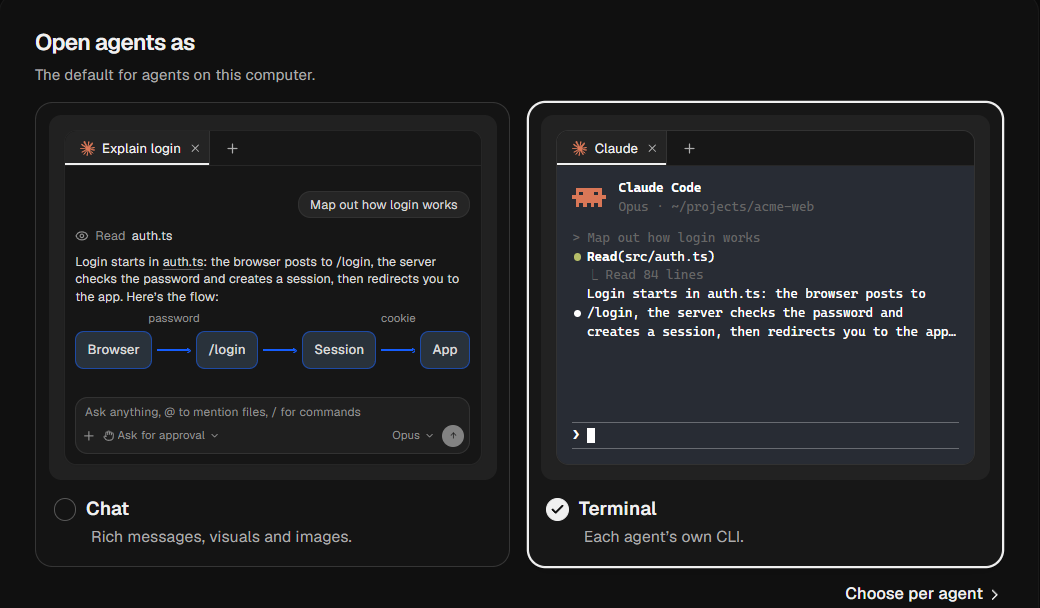
A review loop. You read the diff, comment on a specific line with "Annotate AI Diff," and send that comment back to the agent. Commit, push and GitHub, Linear and Jira items live in the same window [1][4].
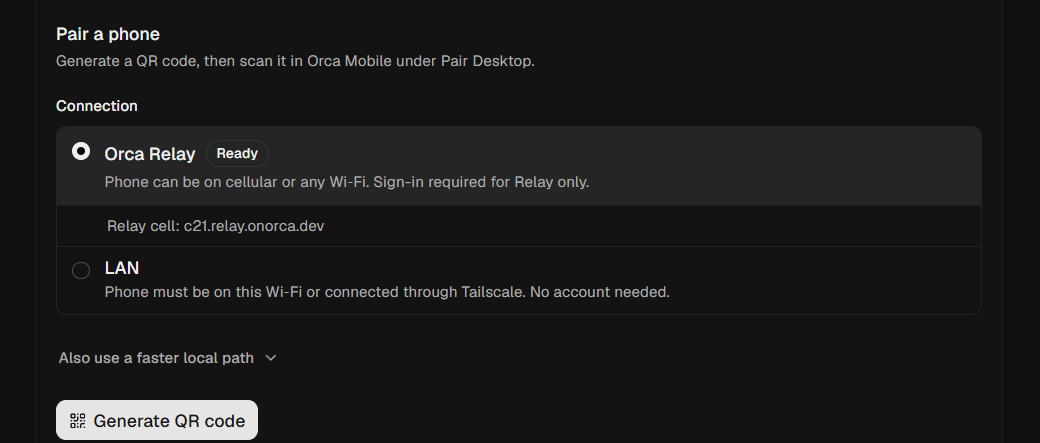
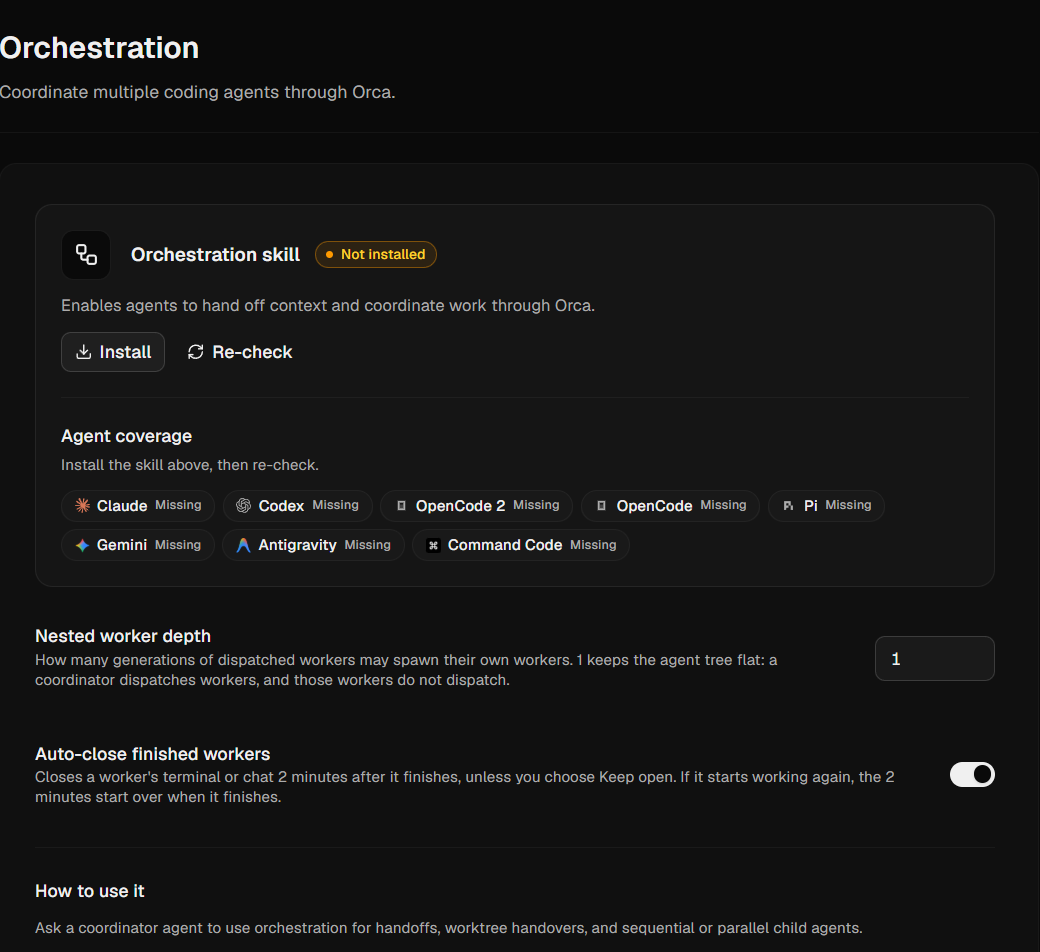
Reach beyond the desk. Design Mode sends a clicked UI element's HTML, CSS and a screenshot into the prompt [4]. SSH worktrees run agents on a remote machine [4], and a mobile app pings you when an agent finishes [4]. A command-line interface lets agents drive Orca itself, and computer use lets them operate desktop apps when no CLI or API exists [2].
Orca by the numbers
| Metric | Value | Source |
|---|---|---|
| GitHub stars | 121.2k | [4] |
| Forks | 7.7k | [4] |
Commits on main |
20,550 | [4] |
| Open issues | 4.6k | [4] |
| Latest release | v1.4.255, 9 Nov | [4] |
All figures were checked on 11 Nov 2026. Between v1.4.219 on 2 Oct [5] and v1.4.255 on 9 Nov, the team shipped 36 releases in about five weeks. Stars measure attention, not daily users, and the repository cannot tell you how many people run Orca every day.
How much does Orca cost?
Orca is free under the MIT license [4]. It ships no model, so the real bill is whatever you pay Anthropic, OpenAI or another provider, and every extra agent draws on the same subscription limits. The Codex vs Claude Code comparison has per-run cost figures.
The site has an Enterprise link but lists no pricing [2]. The company has not said how Orca will make money. The MIT license softens that risk, since a fork is always possible.
Orca vs Conductor vs Claude Squad
| Orca | Conductor | Claude Squad | |
|---|---|---|---|
| Form | Desktop IDE | Mac app [6] | Terminal UI on tmux [7] |
| Platforms | macOS, Windows, Linux [4] | Mac [6] | Not stated; needs tmux and gh [7] |
| License | MIT [4] | Not stated on its site [6] | AGPL-3.0 [7] |
| Agents | Any CLI agent [4] | Claude Code, Codex, Cursor [6] | Claude Code, Codex, Gemini, Aider and more [7] |
| Mobile companion | iOS and Android [4] | Not stated | Not stated |
On a Mac, mostly with Claude Code, Conductor is the simpler pick. If you live in tmux, Claude Squad fits better. If you use Windows or Linux, mix several agents, or want a phone companion, Orca covers the most ground. To pick which agent to run inside any of them, see the ranking of top AI coding agents.
What I like
The biggest plus is vendor neutrality. Agents change fast and a tool tied to one ages fast, so accepting any terminal agent [4] is the safest design choice here. Most tools make starting agents easy and checking their work awkward, while Annotate AI Diff targets the step where parallel work gets expensive.
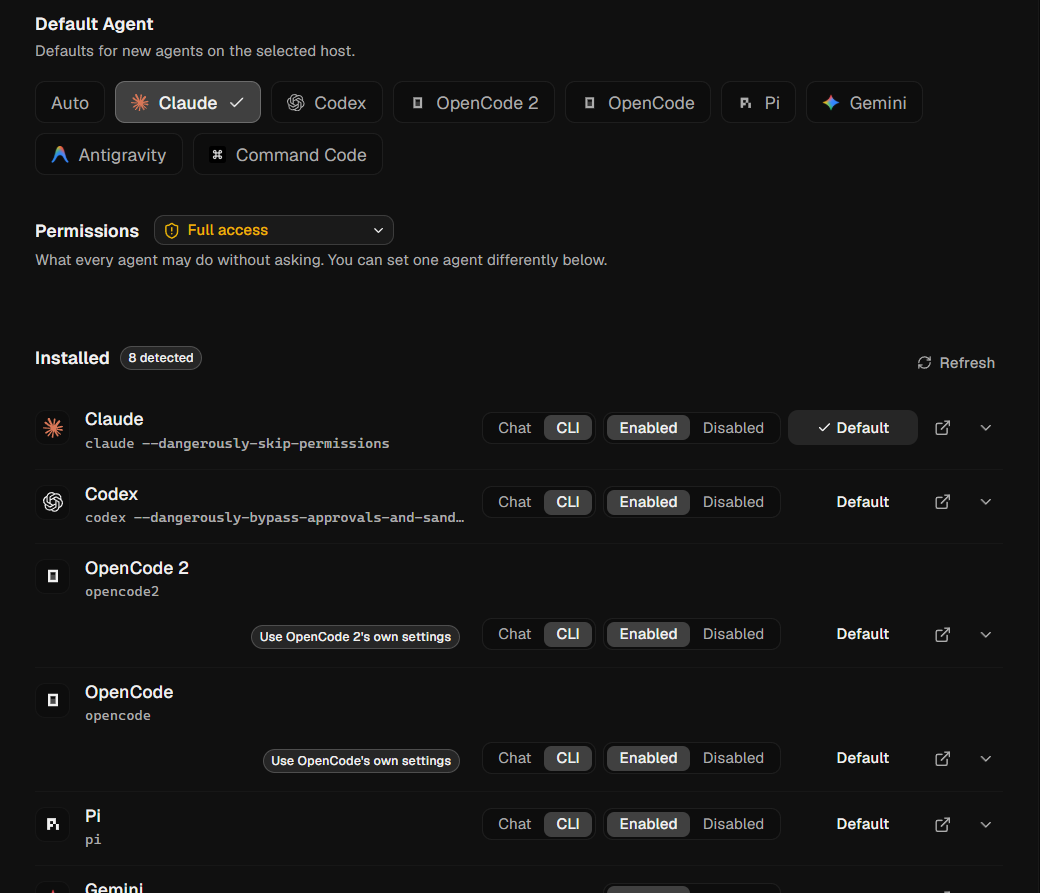
Orca also says agents can run on your laptop or in the cloud [2], and remote compute uses servers and cloud accounts you control [1], which settles the first security question for many teams.
What worries me
The marketing is louder than the evidence. The homepage headline reads "Ship 100x with the agent IDE," and a testimonial says "Truly feeling the 10x" [2]. The site gives no measurement behind either. Parallel agents raise throughput only until review becomes the limit.
Parallelism moves work onto you. More parallel output means more human review. Two or three agents is a sane start, and the docs' own example uses three on the same bug [1].
Scope keeps growing. Orca builds its own terminal, editor, browser, chat UI, mobile client, CLI and computer use [2][4]. If you already have a favorite editor, most of that is surface area you will not touch.
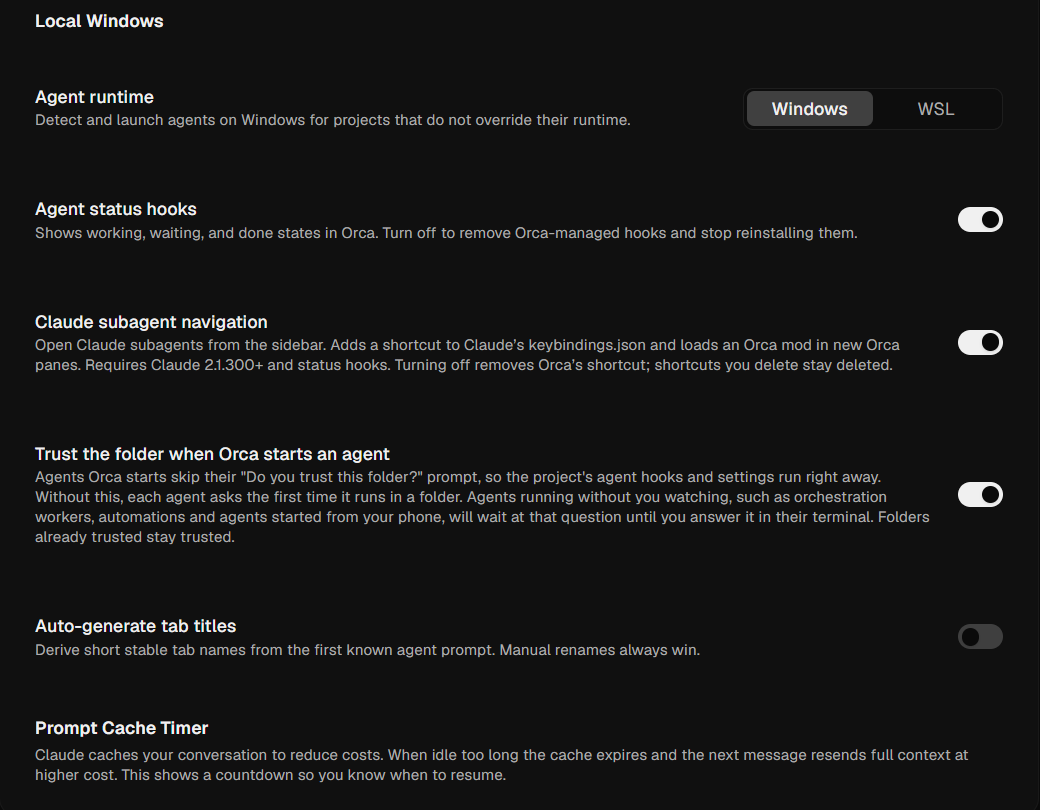
Some defaults favor convenience over caution. Version 1.4.219 answers "trust this folder" prompts ahead of time for Claude Code, Codex, Cursor, Copilot and others. You can turn it off under Settings, Agents [5]. I would turn it off until I knew the repo, since project trust exists to make that call yours.
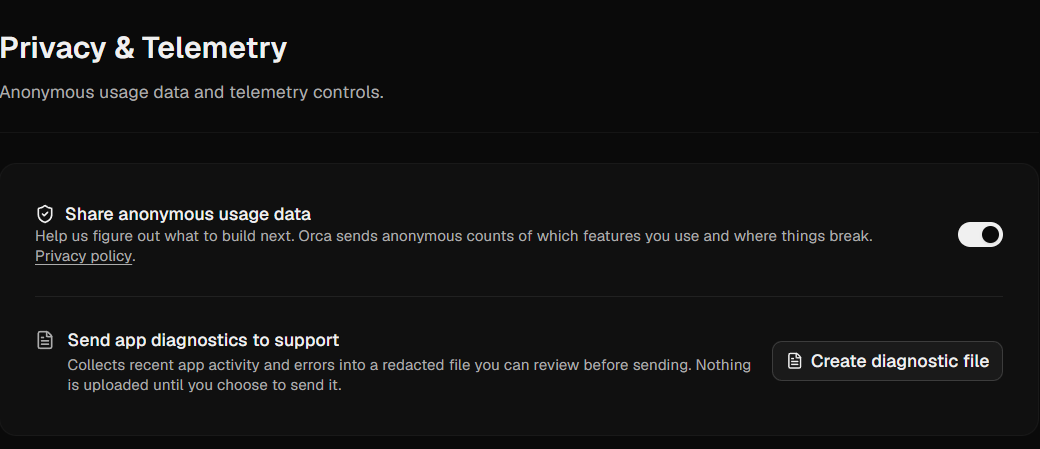
Telemetry is on by default. Orca sends anonymous usage events to PostHog Cloud in the US. Its docs say repo names, paths, prompts, responses and terminal contents are excluded. You can opt out under Settings, Privacy, or with DO_NOT_TRACK=1 [3]. Trying Orca on a throwaway repo with least-privilege credentials first is still a cheap precaution.
The pace has a cost. The repository carries 4.6k open issues [4], and release v1.4.219 lists a known problem: the orca command does not work on Windows 10 on ARM [5]. Pinning a version before standardizing a team on it is prudent.
Who should use Orca, and who should not?
Good fit:
- Developers who run Claude Code, Codex or OpenCode daily on three or more branches at once, in a repo that tolerates worktrees
- Windows and Linux users, since Conductor's site mentions only the Mac [6]
Poor fit:
- Beginners new to git or agents, who will struggle to review parallel output
- Teams with strict security review and no time to audit a fast-moving Electron app
How do I get started in 10 minutes?
- Install and sign in to your agent CLIs first. Orca orchestrates agents you already have.
- Install Orca:
brew install --cask stablyai/orca/orcaon macOS, the .exe on Windows, an AppImage or AUR package on Linux [4]. - Add a local repo, create a worktree, pick a base branch and an agent [1].
- Start with two or three small tasks and review each change with Annotate AI Diff before you commit.
Verdict
I'd give Orca 7.5 out of 10. Coordination is the new bottleneck, and a free, open, cross-platform control panel is useful. The release pace is relentless and the feature scope is wide, so caution is warranted before team use. I would adopt it for personal projects now, and for a team only after pinning a version and reviewing the telemetry and trust settings. If you have never run two agents at once, try that first. Orca pays off once the pain is real.
FAQ
Is Orca free?
Yes, under the MIT license. You still pay for the agent subscriptions or API usage it runs [4].
Which agents does Orca support?
35 named CLI agents, including Claude Code, Codex, Cursor, GitHub Copilot, OpenCode and Devin. Any agent that runs in a terminal works [4].
Is Orca safe to use?
Code stays on your machine by default [1], and telemetry can be disabled [3]. The trust-prompt default and the pace of releases are the two things to review before team use. Test on a non-sensitive repo first.